The theme for 2025 was Black cat, I immediately though of the 40 year old game, Alley Cat (online version, gameplay video), one of the first games I ever played. I was thinking about making a newer version with the same mechanics, some updates and extensions – and apparently I could not let this idea go.
One of the most memorable part for me was the sound track, so I really wanted to have that in the game.
Graphics
This year I decided to go with vector graphics. I had a simple path-to-custom-array converter tool I made for my rather failed Trado Polo Explores game for js13k Games 2023, so I built upon it.
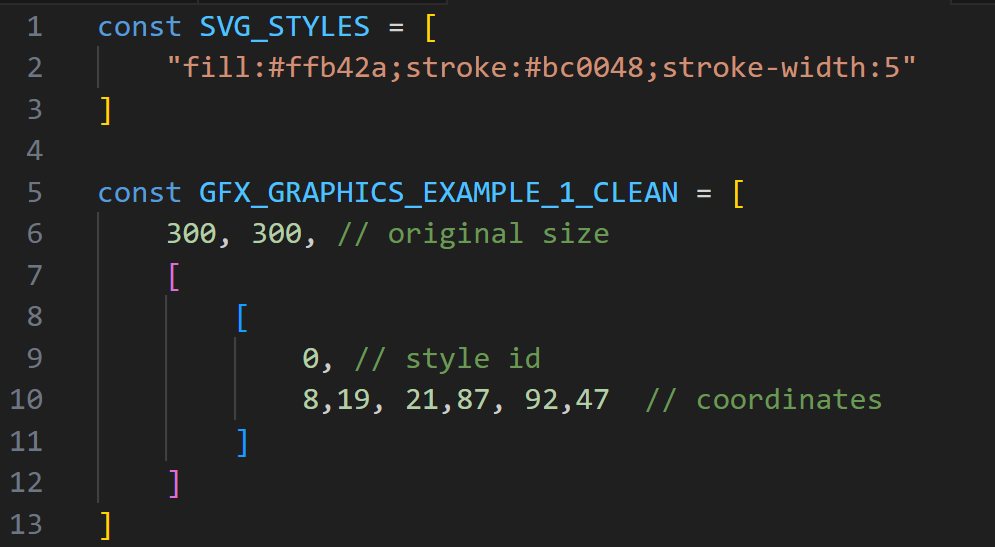
The current tool is taking a bunch of SVG files, extracts the path elements from it and processes their d (the path definition) and style (fill color, fill style, stroke color, etc. parameters) attributes, then it scales them to a 100×100 grid, rounds the coordinates and then save all the points in an array, along with the . It creates an array from the styles (keeping only the unique ones) and assigns these styles to the path.
The 100×100 grid and coordinate rounding is introduced to use less data, it generally leads to no visible artifacts, except for large shapes.
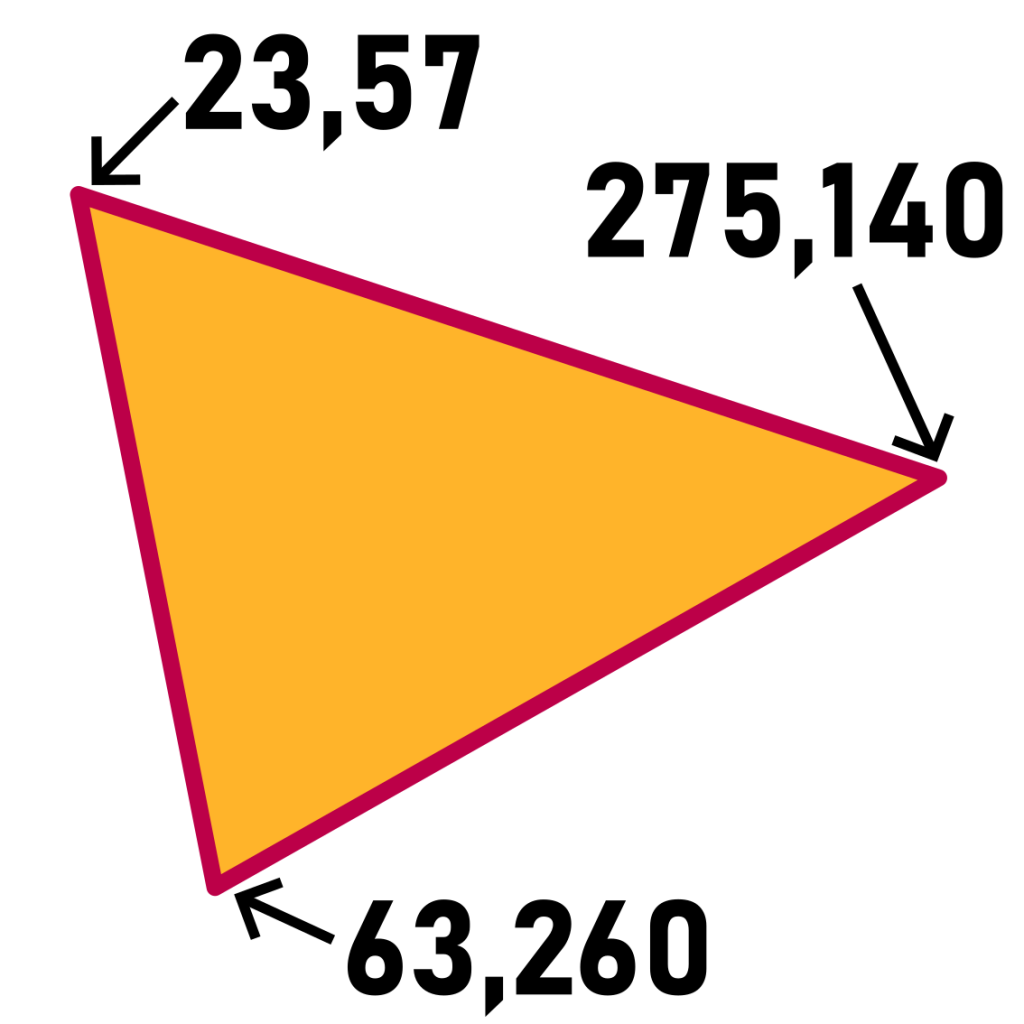
Let’s say we have this triangle on a 300×300 canvas (the arrows and coordinates are there for the explanation only).
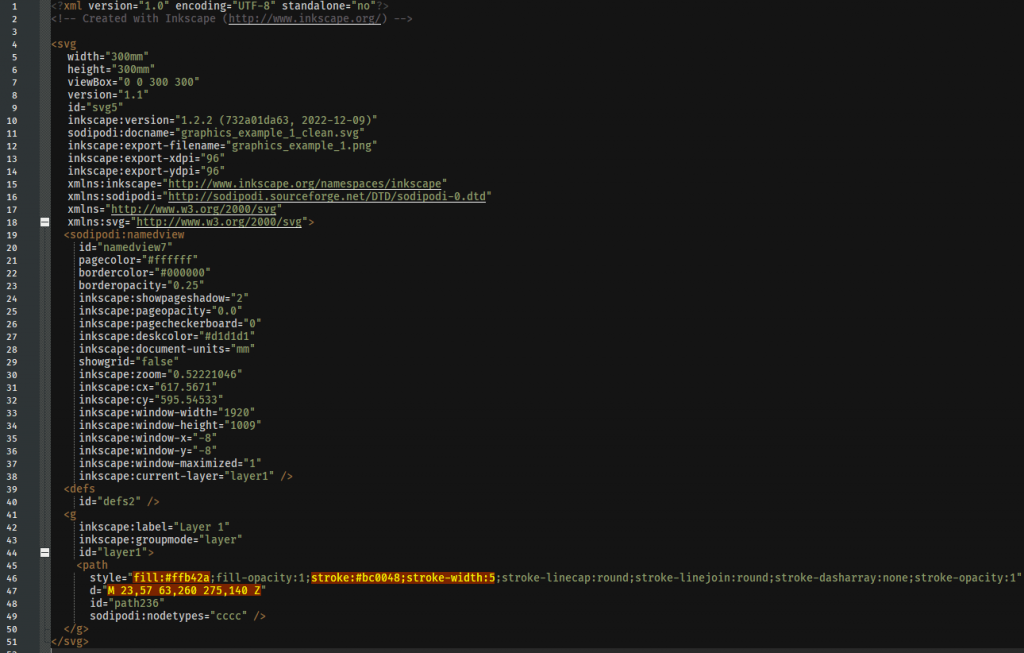
This results in the following SVG file:
The converter will pick this up and will give us a result like this:
This definition is then later used to reconstruct an SVG that is very close to the original one (shown using dotted line and gray coordinates), like this:
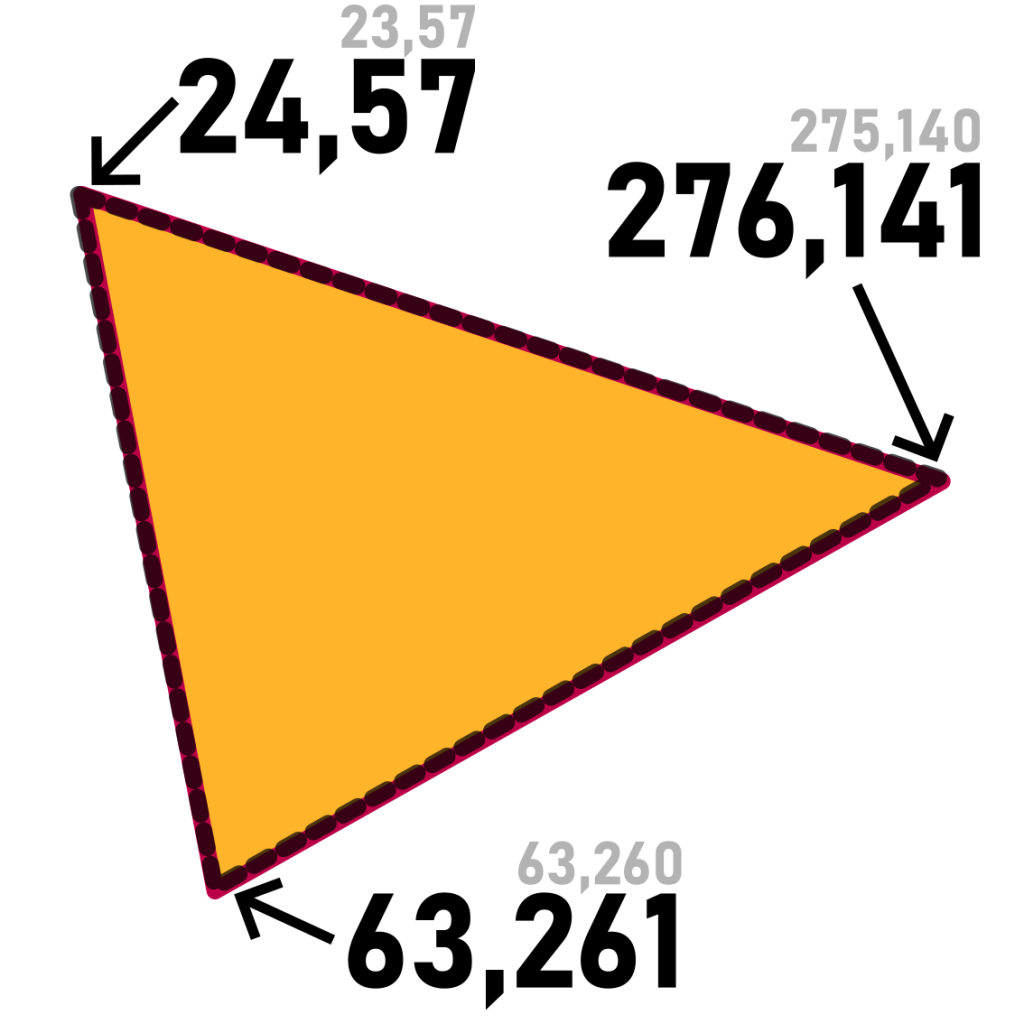
The difference between the SVG and the converted image definition might not look impressive at first, but when having a real-world file with multiple shapes and the coordinates with fractional numbers, also when combining multiple files, it can add up quickly. Check this example of four files:
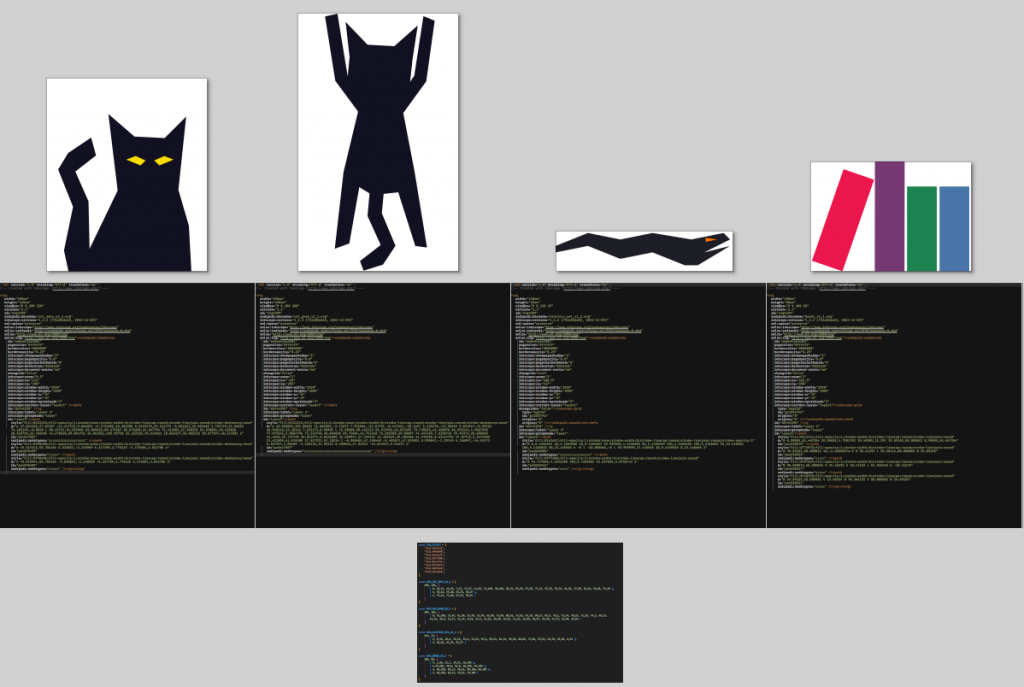
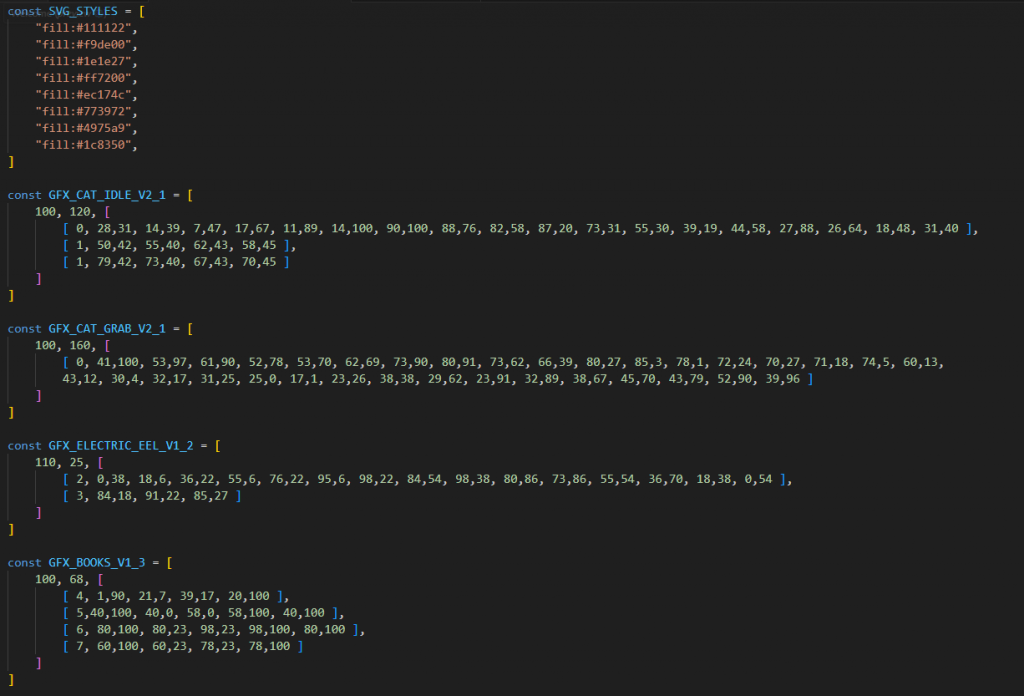
When compressed using ZIP and then advzip the four SVG files result in a 4,031 bytes ZIP, the JS results in a 587 bytes ZIP.
When compressing all the SVGs used in the game it results in a 81,712 bytes ZIP, in JS it is 4,459 bytes.
An interesting side note: ZIP needs to store metadata of every file and that takes up some space too. Also, ZIP is compressing every file separately. So – although the result is nonsense – if I just copied all SVG files into one file, the file size was the same but ZIP compressed it to 18,248 bytes instead – that is less than 1/4 of the previous 81,712 bytes!
Music
The music starts as a MIDI file, but that would have been too much for this project – both in features and in size. So I went with converting it to the bare minimum – a custom format denoting only the tempo, timestamps of notes, and the pitch of the notes.
To play it back I am generating sound samples with ZzFX to use them as instruments, and a simple loop to play them at the right time.
This way the original MIDI starting at 3,410 bytes results in music definition of 2,492 bytes that can be compressed down to 594 bytes. (The MIDI could be compressed to around 1,100 bytes.)
Compression
I write the code in TypeScript to have the advantage of strong(er) typing and get rid of many of JavaScript’s annoyances unique features, and the help of my IDE (VSCode).
For the build I just merge all TS source files into one file and use TSCC to compile the TypeScript to JavaScript, inserting JSDoc annotations and other useful things for further processing, then use Google Closure Compiler to compress it.
The HTML is usually really simple, so I just create a cleaned up version manually.
For CSS I have a simple oneliner to get rid of the white spaces and the unnecessary newlines.
After this I put all the files into one single index.html, because it results in smaller ZIP, as each additional file needs additional metadata.
For the final compression I use AdvanceCOMP‘s advzip, which is a program that re-compresses ZIP files with different parameters, trying to squeeze the ZIP file even smaller.
With fairly conservative settings (3000 iterations) it can save 5-8% compared to the “high” compression setting of standard ZIP. This can be a huge deal with size limited projects, with the js13k limit of 13,312 bytes it can squeeze an additional 1,150 bytes in. Higher settings can lead to even more savings, although typically only a few more bytes – but there were years when I needed those extra 1-2 bytes to fit into the limit.
This year my standard ZIP file was 13,940 bytes (628 bytes over the limit), advzip re-compressed it to 12,919 bytes (394 bytes under the limit).
This size consisted of the following parts: JavaScript (7,204 bytes), graphics data (4,459 bytes), music data (594 bytes), HTML (346 bytes), CSS (315 bytes).
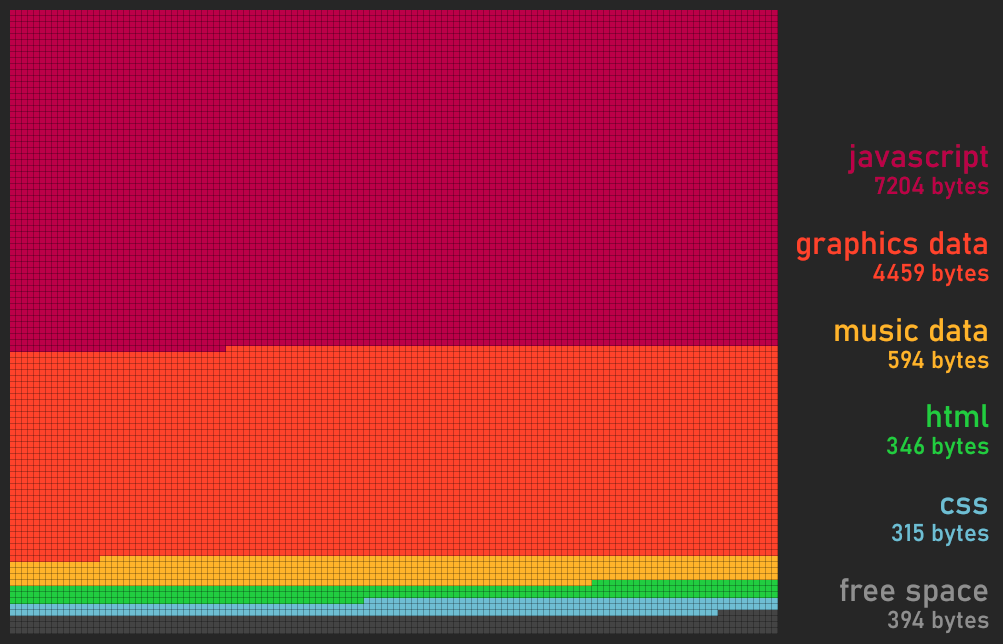
Note: these sizes are approximations as there is no way to really determine the exact size of a part of the file taking up, so I compressed these parts separately and then scaled their sizes to the final ZIP size. (They were compressed to a bigger total separately. Also, when I tried by replacing/removing parts, that lead to smaller html/css size approximations.)
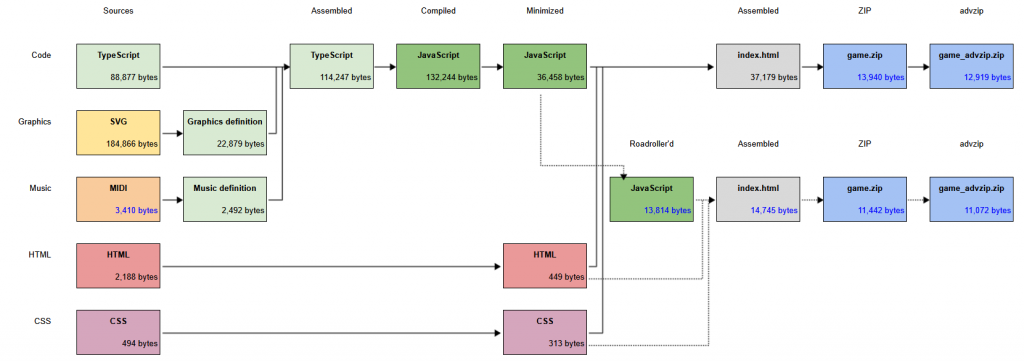
I have compiled a chart that shows all steps of the build process, starting from source files, then assembling, compiling, minimizing the parts and finally compressing them.
After the competition ended I started to experiment with Roadroller (see the dotted line) and I might go with it next year.
Results
This post turned out to be rather technical and compression focused – but I won’t lie, I wanted to do such a post for some time now.
I had a few features and details that either made it into the game but is not shown (eg. more color palettes ), or I wasn’t able to finish (eg. some extra elements on the opening screen, more levels, final level), but I think for a jam game it turned out to be fun, and for me that’s really important and I am happy with how it turned out.
Alley Kitty landed on the 20th place, out of 176 games – with some pretty strong entries this year too!
See you again in 2026! Maybe that time I’ll have a simple idea, for a change… :)